
Survive Overnight in a Mega Store Green Cube Location and Power Guide
The green cube in Survive Overnight in a Mega Store spawns inside the Mechanic area of the store. Players insert it alongside the red and blue cubes into the electrical room generator to restore store power.
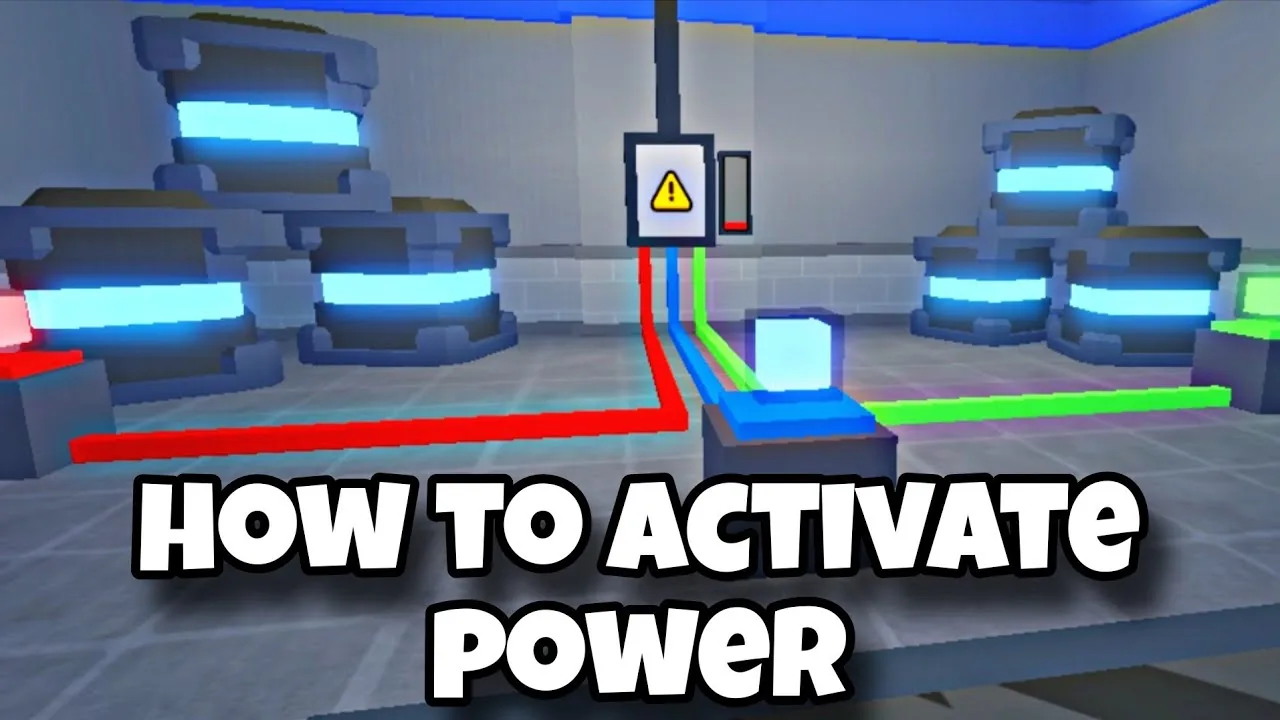
The green cube in Survive Overnight in a Mega Store spawns inside the Mechanic area of the store. Players insert it alongside the red and blue cubes into the electrical room generator to restore store power.
Green Cube Store Location
Finding the green cube requires searching the Mechanic department of Blues mega store. The cube sits as a bright, glowing green block that players pick up into their active inventory slot. Because carrying a cube occupies a slot, clear space in your inventory by dropping loose food, scrap, or extra tools before picking it up.
The Mechanic area contains automotive and repair props, distinguishing it from nearby clothing, food, and furniture aisles. Once collected, carry the block straight toward the center electrical facilities or place it near your team base until the electrical room opens.
How to Use the Green Cube to Restore Power
The green cube cannot be used immediately at the start of day one. The electrical room containing the generator remains locked behind chains with a note from Bob stating the door stays closed until Tuesday. On day three, the chains clear, granting access to the interior generator room.
Inside the electrical room, interact with the generator unit to deposit the green cube into its designated receptacle. Powering the store requires completing the full set of cube locations. You must pair the green cube with the red block found by checkout and the blue cube located behind Weaponry.
Once all three cubes rest in the machine, the generator meter begins charging. The device takes a full day cycle to reach maximum capacity, turning the charge indicator completely green. Knowing how to turn on power allows your team to activate card readers across the department store.
| Power Cube | Store Location | Primary Purpose |
|---|---|---|
| Green Cube | Inside the Mechanic area | Restores generator power alongside the other two colored cubes |
| Red Cube | Entrance near checkout counters | Supplies the electrical generator with its initial power feed |
| Blue Cube | Behind the Weaponry area | Completes the three-piece circuit to run the store generator |
Transporting the Cube and Generator Timing
Moving items across the sales floor exposes players to aggressive staff members once nighttime begins. Employees deal melee damage and throw objects, while low stamina drains your health bar if you run completely out of energy.
Transport the green cube during daytime hours whenever possible. Daylight ensures hostile workers remain passive, preventing item drops caused by sudden knockouts. If your squad finds the block early on day one or day two, drop it directly outside the generator location so it sits ready the moment the Tuesday morning unlock occurs.
Restoring generator power represents a required milestone in figuring out how to escape the facility. Powering the grid activates the locked keycard readers leading toward executive offices and main building exits, allowing your group to proceed into later escape objectives.
Next step
Turn On Power
Find every power cube location, unlock the electrical room generator on Day 3, and charge store power to operate keycard readers.